AI Clothing Photography
Turn a simple photo of a garment into a full apparel product shoot — on a model, on a hanger, in a lifestyle scene. No model booking, no studio day, no reshoot for the next colourway.
How to photograph clothing with AI
1. Photograph the garment
Lay it flat or hang it, steam out the creases, shoot straight on in even light. A phone is fine.
2. Choose the look
On a model, on a hanger against a seamless backdrop, or out in a lifestyle scene.
3. Generate the set
Get front-of-catalog images in about half a minute, with the print, cut and colour taken from your photo.
4. Export for store and social
Square for the grid, 4:5 for fashion PDPs, 9:16 for Reels — all from the same garment photo.
Apparel product shots made from one garment photo
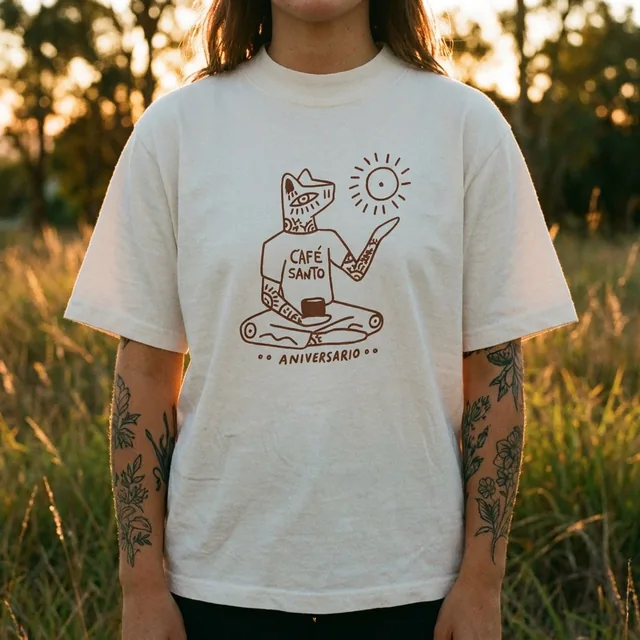
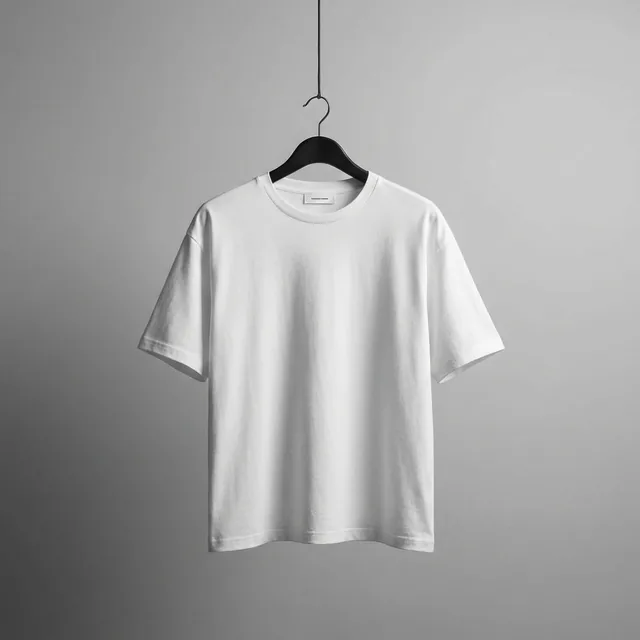
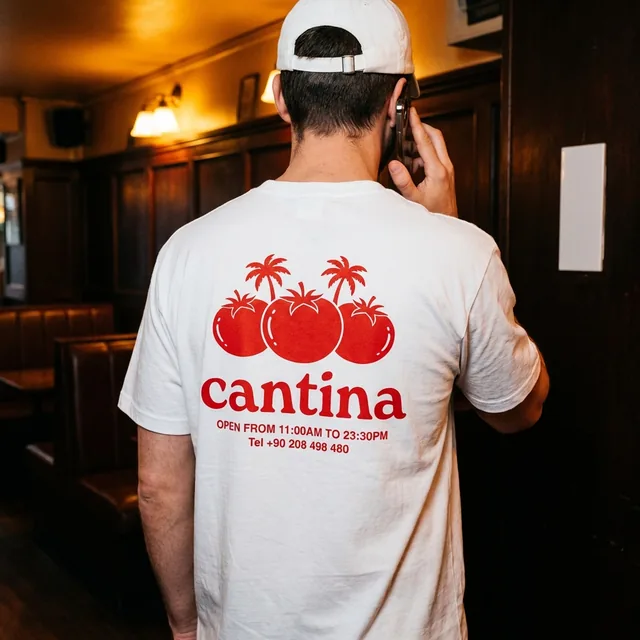
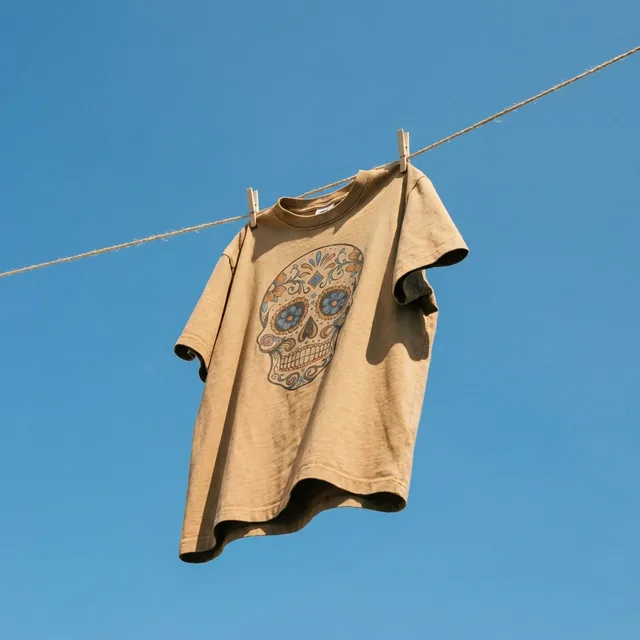
The same t-shirts, four treatments: on-model outdoors, studio hanger, on-model interior, creative lifestyle.
Every shot a fashion product page needs
On-model without a model shoot
Show fit and drape on a person. No casting, no day rates, no usage-rights paperwork.
Hanger and flat-lay packshots
Clean, consistent catalog images on seamless backdrops — the look marketplaces expect.
Lifestyle and campaign scenes
Put the collection on a street, a beach or a clothesline for social and ads.
Back prints and details
Front, back and detail views keep graphics and logos as printed on the garment.
How to take product shots of clothing that AI can work with
Clothing is harder to photograph than a bottle because fabric has no fixed shape. The goal of the input photo is simple: show the garment flat, whole and true to colour, so the AI has accurate information to dress a model with.
- Steam or iron first — creases are the one thing AI tends to keep
- Shoot straight on, garment filling the frame, nothing cropped off
- Hang it or lay it flat on a plain, contrasting surface
- Use daylight from a window; avoid mixed warm and cold light
- Photograph front and back separately for printed pieces
- Check colour against the real garment before you generate a whole range
AI clothing photography vs. a fashion product shoot
| Fashion product shoot | ProductAI | |
|---|---|---|
| On-model cost | Typically $90–350 per photo once model, stylist and studio are included | Flat plans from €16 a month for about 40 photos |
| New colourway | Back to the studio | Upload the new garment photo, reuse the template |
| Model diversity | One casting per look | Generate different models for the same garment |
| Turnaround | 1–3 weeks | Minutes |
| Samples | Must be shipped and returned | Stay with you |
| Best for | Hero campaigns, lookbooks, editorial | Catalog, marketplace listings, social and ads |
Shoot costs are typical published rates. Many brands do both: a photographer for the seasonal campaign, AI for the long tail of SKUs and colourways.
Who uses AI for apparel photography
DTC fashion brands
A full PDP image set for every drop, in one consistent look.
Print-on-demand sellers
Show every design on a model without ordering every sample.
Resale and vintage
Upgrade phone photos for Vinted, Depop, Poshmark and eBay listings.
Boutiques and wholesalers
Turn supplier flat shots into on-model images for your own store.
More on clothing product photography
The guides these questions usually lead to, plus the tools to finish the listing.
Clothing photography questions
Can AI put my clothing on a model?
Yes. Upload a flat or hanger photo of the garment and choose an on-model template. The AI generates a model wearing it, with the print, colour and cut taken from your photo.
Does the AI keep prints and logos accurate?
Graphics and logos come from your photo, so they are preserved. Very small text can soften, so check fine print at full size before publishing, and photograph the back separately for back prints.
What photo do I need to start?
One sharp, evenly lit photo of the whole garment, shot straight on, either laid flat or on a hanger. Steam out creases first — they tend to carry through.
How do you photograph clothing for a product page?
Use soft, even light, keep the garment wrinkle-free and fully in frame, shoot straight on, and keep the same setup for every piece. A product page usually needs a front, a back, a detail and an on-model or lifestyle image.
Is AI clothing photography allowed on marketplaces?
Marketplaces care that the image represents the real item accurately. Because the garment itself comes from your photo, AI-generated settings and models are widely used. Always check the rules of the specific marketplace.
How much does it cost compared with a fashion shoot?
On-model shoots typically run $90–350 per photo once talent and studio are included. ProductAI plans start at €16 a month for roughly 40 photos, and you start with 20 free credits.