
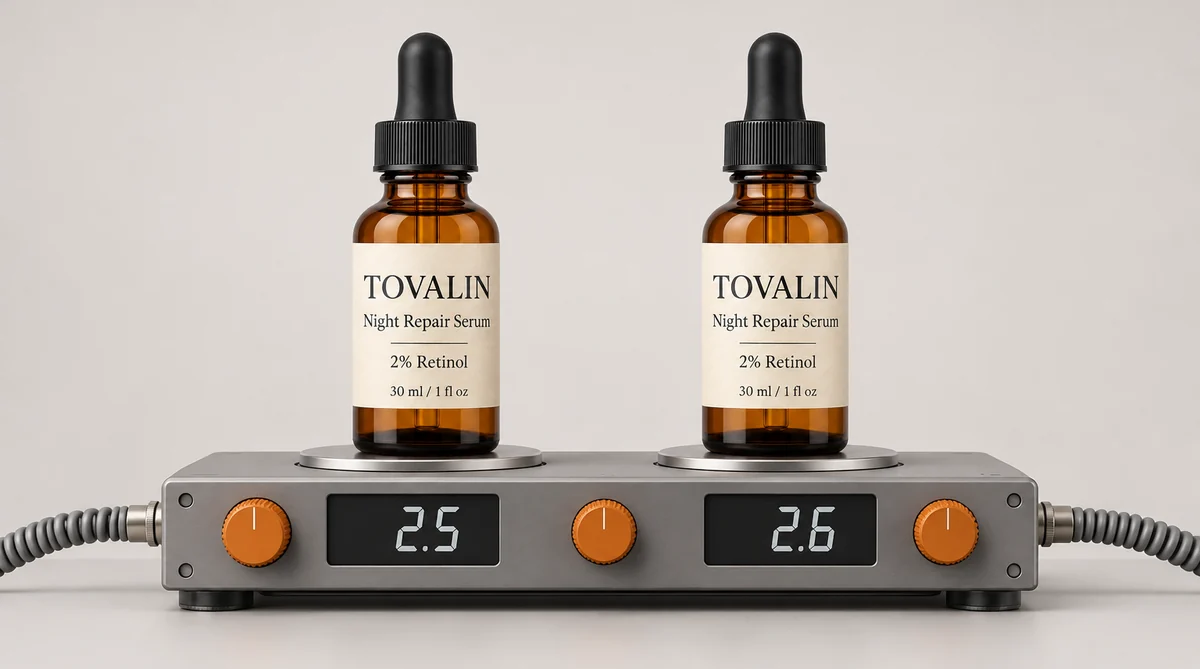
OpenAI released GPT Image 2.6 on 4 November 2026, at the same token prices as 2.5. We wanted to know one thing before moving ProductAI over: does it keep your product intact, or does the upgrade change what sellers get?
So we ran four products through both versions with identical prompts, 24 images in total, and read every label at full size. The short version:
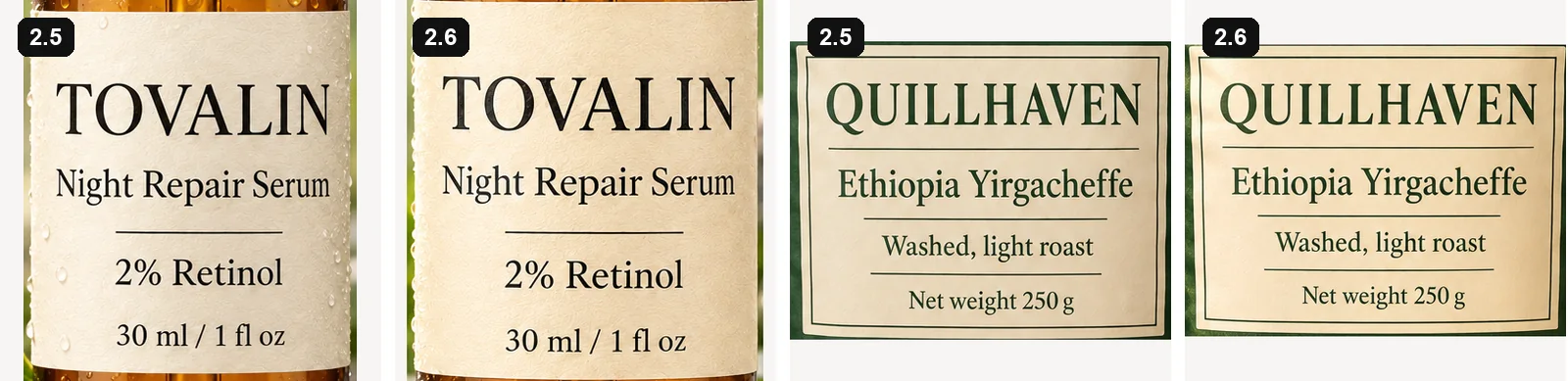
- Product accuracy held. All 12 labelled images we zoomed into read correctly on both versions, down to "2% Retinol" and "Net weight 250 g".
- High quality took half the time: 23.4 seconds on 2.5, 11.5 seconds on 2.6, for the same cost.
- Medium and low quality cost more, because 2.6 spends about three to four times the output tokens there.
- Precise edits got slower, from 16.3 to 22.2 seconds on average, and cost more.
For product photos, we found 2.6 a safe replacement for 2.5, so it is now the GPT model in ProductAI. Here is what we saw.
The numbers
| Setting | Version | Average time | Output tokens | Estimated cost per image |
|---|---|---|---|---|
| High quality | 2.5 | 23.4s | 1,507 to 1,510 | $0.054 |
| 2.6 | 11.5s | 1,508 to 1,551 | $0.055 | |
| Default quality | 2.5 | 16.5s | 168 to 689 | $0.021 |
| 2.6 | 10.8s | 706 to 1,551 | $0.040 | |
| Precise edit | 2.5 Sunburst | 16.3s | 196 to 439 | $0.020 |
| 2.6 Sunburst | 22.2s | 1,449 | $0.052 |
Default quality means we sent no quality setting and let OpenAI pick one for each job, so those rows are not strictly like for like. 2.6 picked high once, medium once and low twice. 2.5 picked medium three times and low once. OpenAI's list prices are the same for both versions. The cost difference comes from the number of tokens each image uses.
Label text: correct on both
Text is where AI product photos fail most often. In our own fidelity checks, more than a third of flags were about writing on the product, and numbers are the dangerous kind. So two of our four products carry small print with figures: a serum with "2% Retinol" and "30 ml / 1 fl oz", and a coffee bag with "Net weight 250 g".
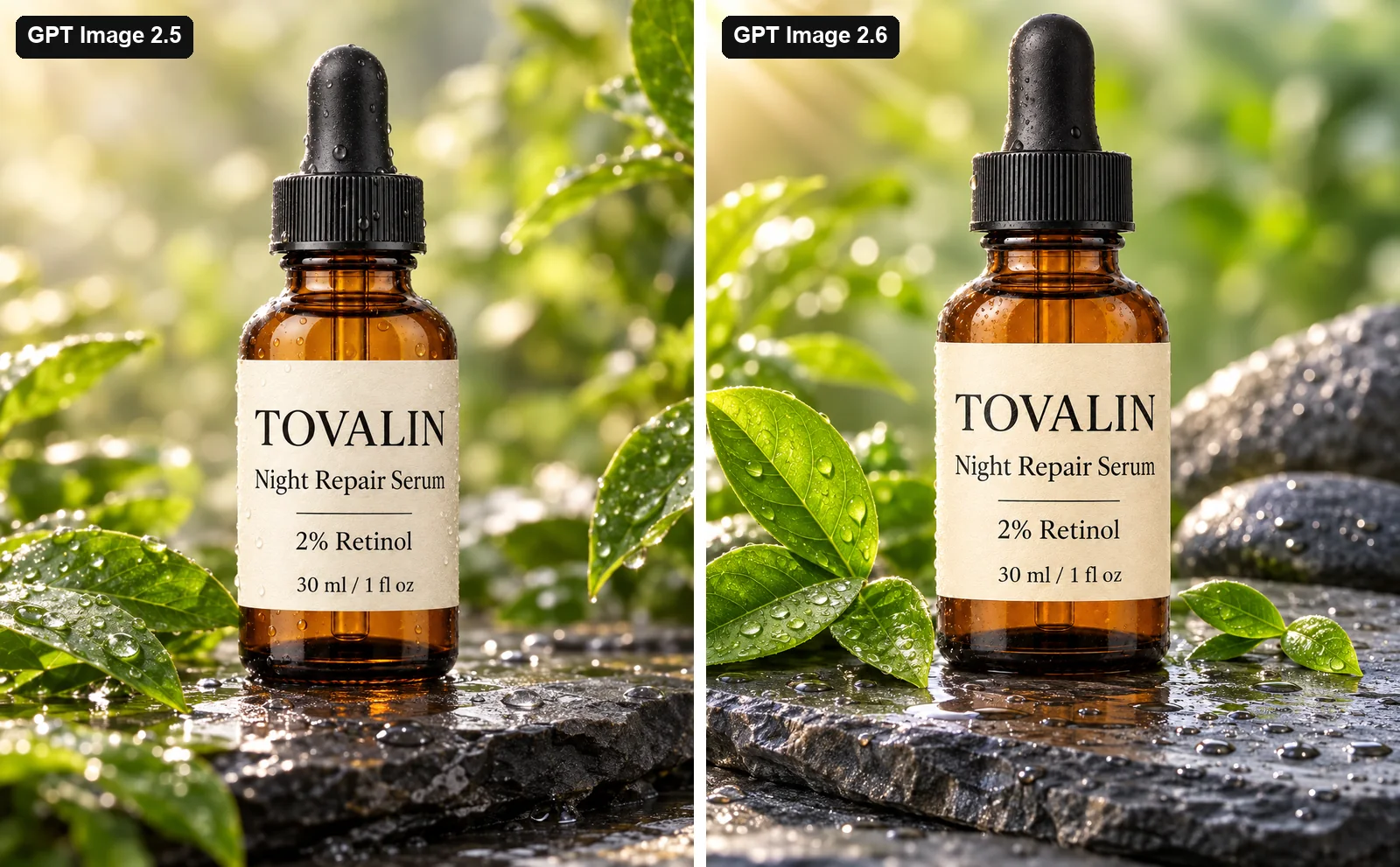
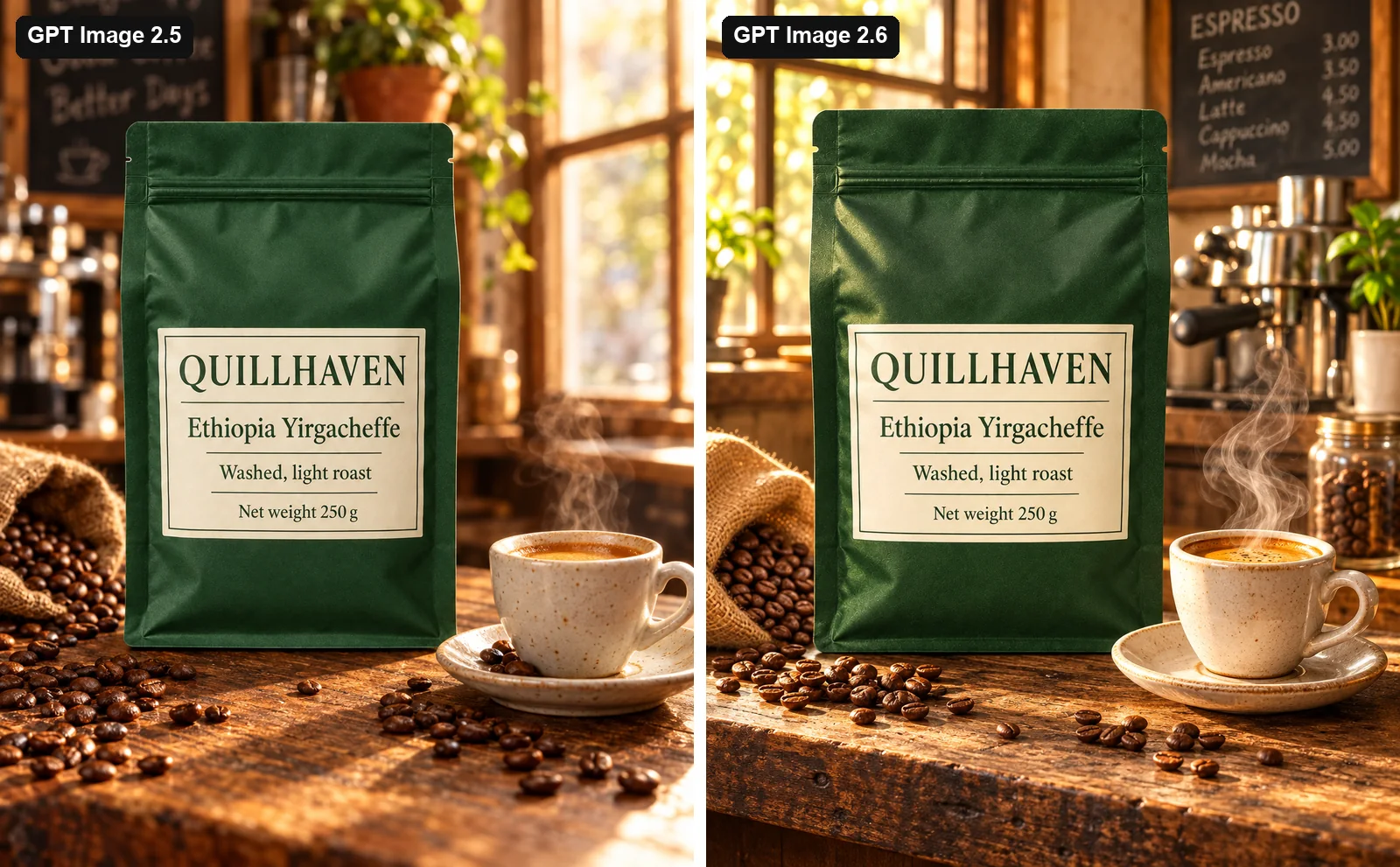
Across all three settings, every word and number was right on both versions. At high quality they are hard to tell apart:
One thing to watch: both versions added a chalkboard to the coffee scene. 2.5 wrote a slogan on it, and 2.6 wrote a readable menu with prices. We never asked for either. If your scene shouldn't contain invented words or prices, say so in the prompt and check the background as well as the product.
Materials: fewer additions on 2.6
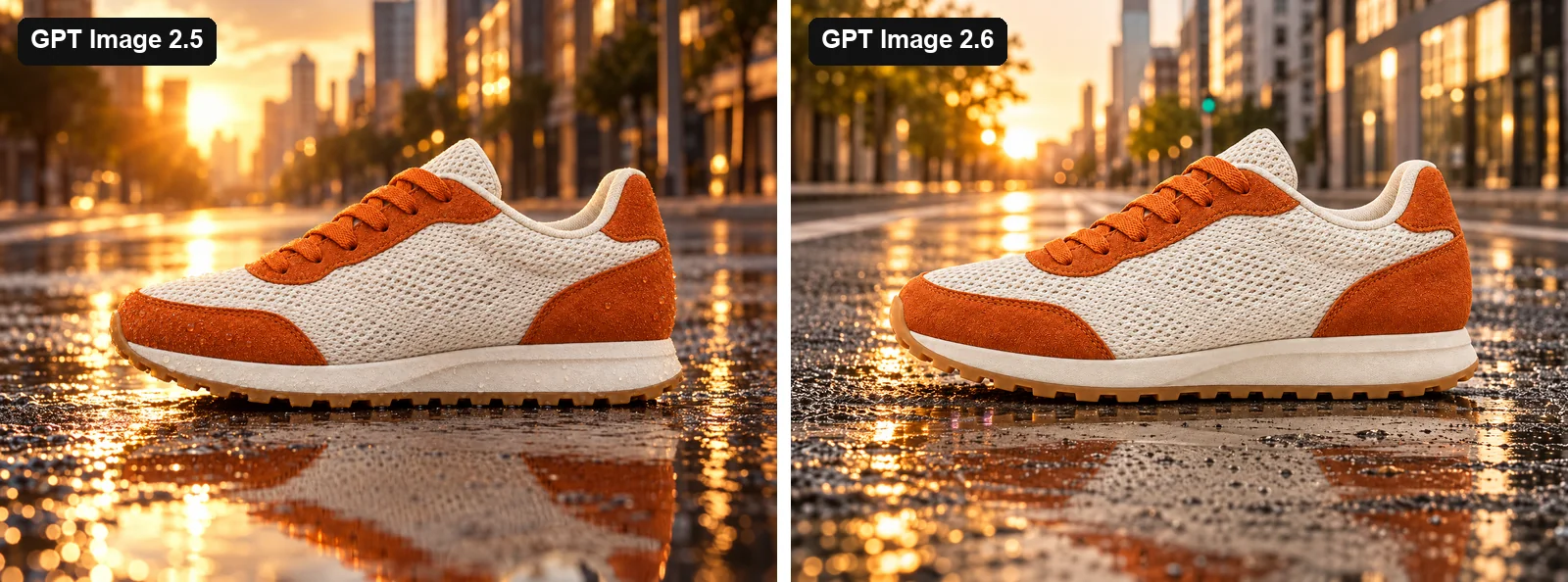
The running shoe tests mesh, suede and a gum outsole. Shape and colour held on both versions. The one visible difference at high quality: 2.5 sprinkled water droplets over the suede and the sole, though we asked it to keep the materials as they are. The 2.6 shoe stayed clean.
On a model: quality decides the small details
The cardigan tests a dense cable pattern and a detail that is easy to count: it has five wooden buttons.
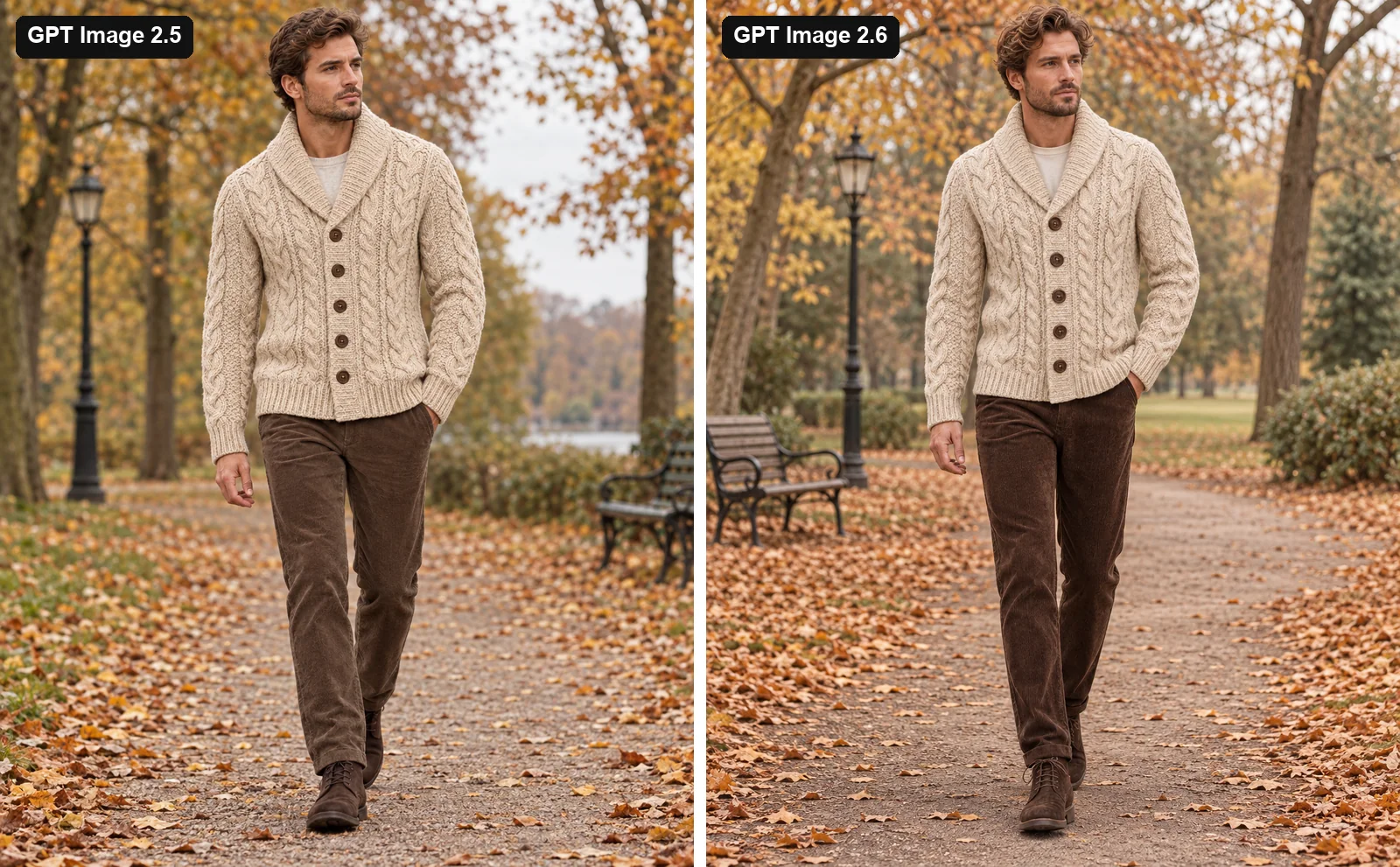
At high quality, both versions kept five buttons. At default quality, both added a partly hidden sixth button at the hem.
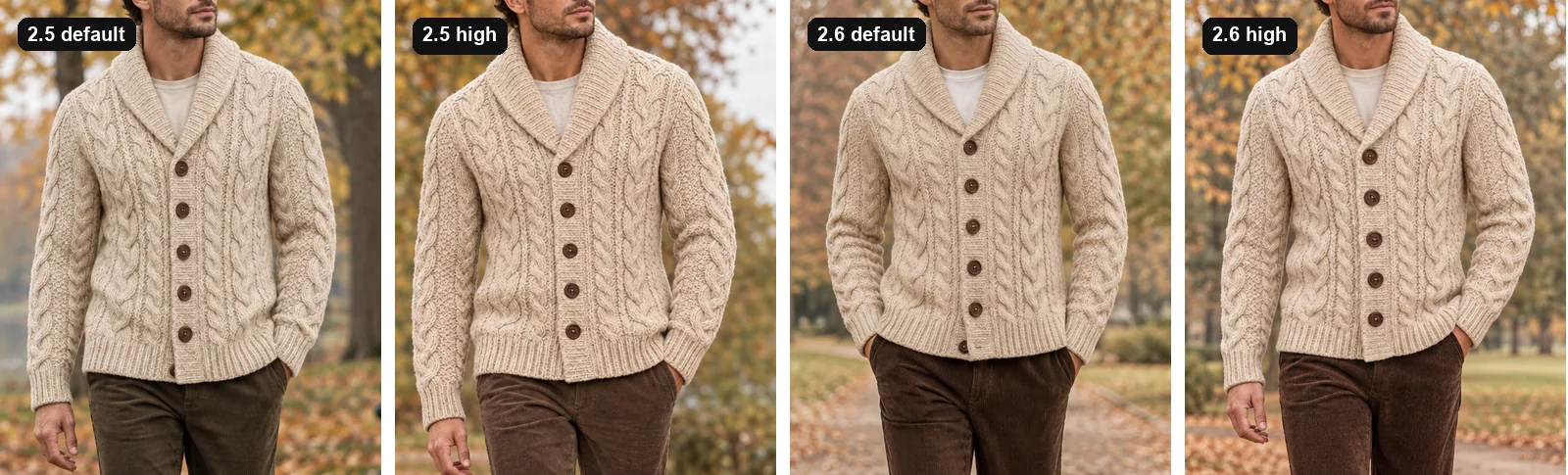
That isn't a 2.6 regression, but it is a useful reminder. If a count matters on your product, use high quality and check the result.
Precise edits: just as careful, but slower
Precise edit runs on OpenAI's Sunburst model, and it is for jobs that should change only what you ask for. We gave both versions the same small job: replace the white background with sage green and keep everything else.
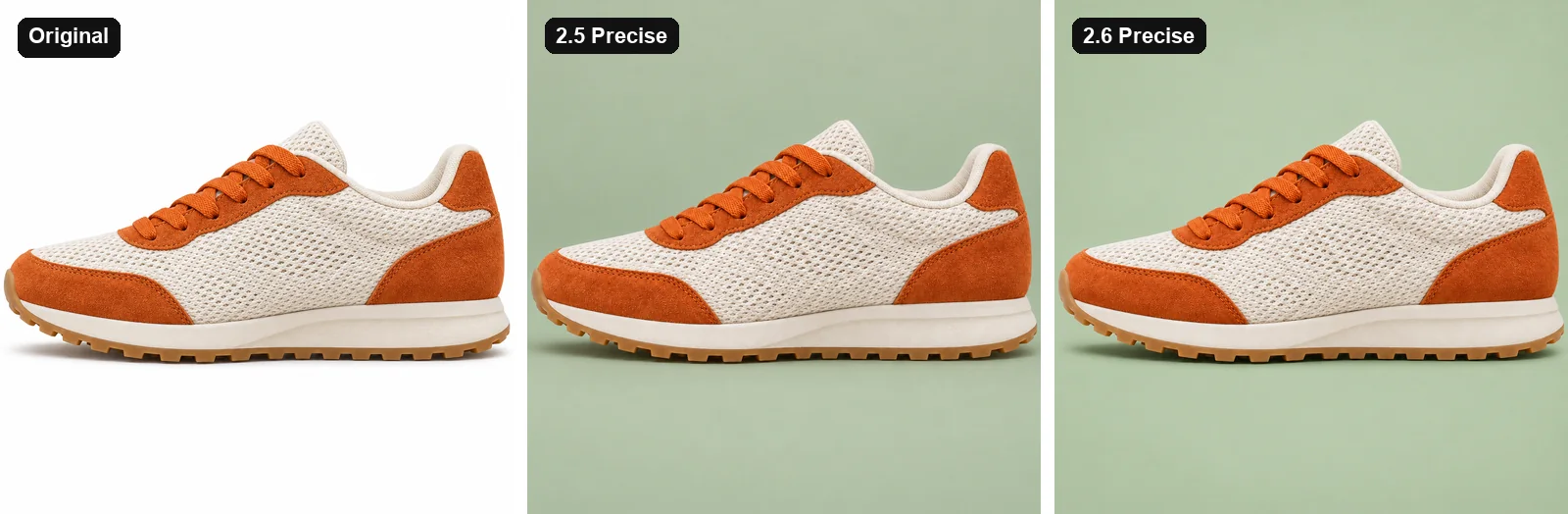
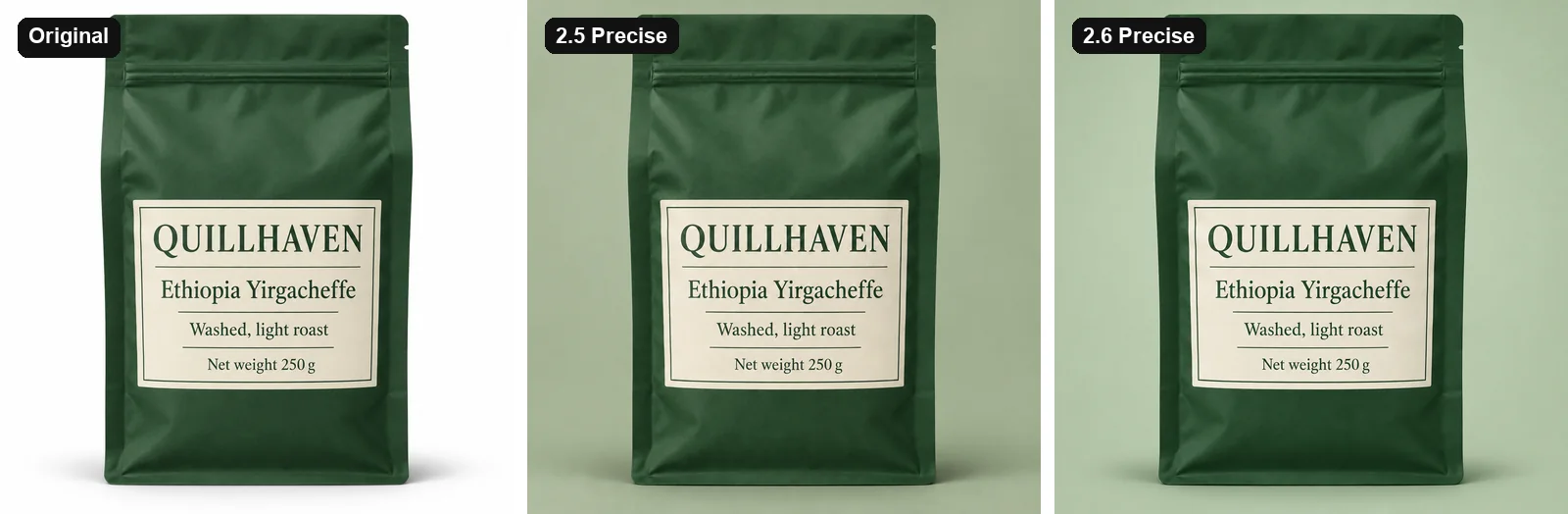
To measure this, we compared each result with the original, pixel by pixel, on the product only. Lower numbers mean the product changed less.
| Product | 2.5 Precise | 2.6 Precise |
|---|---|---|
| Serum bottle | 6.3 | 6.0 |
| Coffee bag | 3.2 | 4.9 |
| Running shoe | 12.9 | 12.8 |
| Cardigan | 14.4 | 15.2 |
There is no consistent winner. Textured products score higher on both because fine knit and mesh get redrawn slightly. The coffee bag is the one visible gap, and OpenAI ran that 2.5 image at low quality while 2.6 ran at medium, which may be part of the reason.
What it costs you
Nothing changes on your ProductAI bill: GPT Image still costs 10 credits per image at standard resolution. For anyone calling OpenAI directly, the picture depends on your quality setting:
- High quality: about the same cost and half the wait. This is the clear win.
- Default, medium or low quality: a bit more than double in our test. In a direct comparison at low quality, 2.6 produced 824 output tokens where 2.5 produced 196, with an image that is slightly crisper rather than dramatically better.
- Precise edits: about 2.6 times the cost and roughly 6 seconds slower.
What we didn't test
OpenAI's model pages also list a complexity setting, markup-guided edits, SVG output and animated GIFs for 2.6. This comparison covers none of them. It is about one job: putting an existing product into a new photo without changing it.
How to use it in ProductAI
- In the studio: choose GPT Image, then Pro, in the model picker. For small targeted changes, set Edit mode to Precise.
- In the API: use
gpt-2.6orgpt-2.6-precise. See the API docs. Existing names such asgpt-2.5keep working and keep calling the same model, so nothing changes under an existing integration.
Choosing between GPT Image and other models? Our comparison with Nano Banana Pro covers where each one wins.
How we measured this
- The sample is small. Four products, three settings and two versions, with one image for each combination. Small differences may be chance. An earlier run of 18 images on three other products showed the same speed pattern: high quality went from 21.3 to 11.8 seconds, and Precise from 18.0 to 27.9 seconds.
- The products are invented. Tovalin and Quillhaven aren't real brands. We generated all four product photos with GPT Image 2.6 on a white background, then used them as the input for both versions. A real studio photo may behave differently.
- The settings match our app. Every image went through the same production pipeline ProductAI uses, on 5 November 2026, with up to four jobs running at once. Times are the billed run time of that pipeline, including downloading the input and saving the result.
- Costs are estimates from each job's token counts, at OpenAI's list prices per million tokens: $5 for text input, $8 for image input and $30 for image output.
- The label check is by eye. We read the 12 labelled images at full size.
- The Precise score is the average colour difference on a scale of 0 to 255, measured only on pixels that belong to the product in the original photo.
